Category

Google

Google Algorithm Updates

Google Algorithm Updates & Changes History

By | Digital Marketing, Google, Search Engine Optimizaion

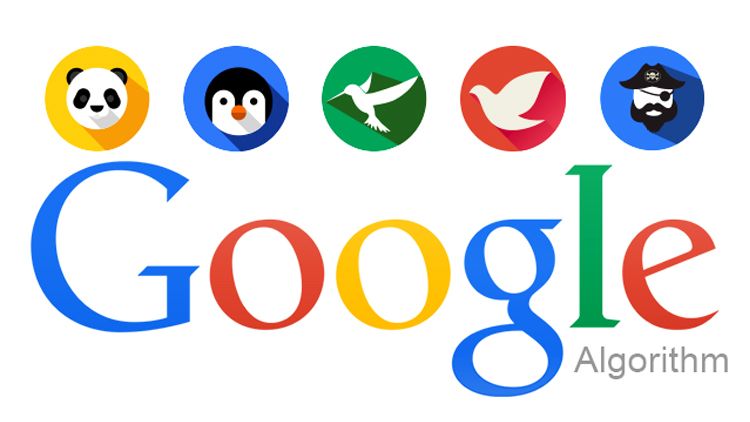
On an average, Google updates or changes its algorithm nearly 500 times during one year. Most of these updates are usually minor and do not affect SERPs much. Google occasionally rolls out a major update that affects your online presence and search engine optimization (SEO). Here are the major Google algorithm updates in the recent years you need to know.

PANDA (2011)

Google’s Panda Update was first launched on 24th February 2011 and has been updated several times. Five years later, that is in 2016, Google added it to the core ranking algorithm. The main purpose of this update is to counter spam and weak content that don’t provide quality to the Internet users. Panda serves this purpose by assigning a quality score to web pages. Avoid plagiarism, spamming and keyword stuffing to avoid Google Panda Penalty.

PENGUIN (2012)

On 24th April 2012, Google came with Penguin Update to punish the website that uses spammy, irrelevant or over-optimized anchor text links. Panda works in real time and has been the part of Google’s core algorithm. To avoid penalties run frequent audits to check backlinks. If any low quality or irrelevant link is found, then get rid of them quickly.

HUMMINGBIRD (2013)

Hummingbird was launched on 22nd August 2013; the purpose of this update was to provide more relevant and expected results to the users. Here the focus was to bring search results based on the intent behind the search query, rather than individual keywords within the query. As the result of which, Google shows the relevant results in search engine results page that doesn’t necessarily have exact keywords.

PIGEON (2014)

Google came up with the Pigeon Update in July 2015 in order to provide precise and relevant results for local search queries. Both Google map search and Google web search are influenced by this update. Google started to use traditional SEO factors to rank local results and established closer ties between the local algorithm and the core algorithm. Pigeon update impact websites negatively that are poorly optimization for search engine.

MOBILE (2015)

 In April 2015, Google brought a major change in its algorithm in the form of Google Mobile-Friendly Update. The purpose of this update is to prioritize mobile-friendly web pages over the web pages that are not mobile friendly. Consequently, the pages which aren’t mobile friendly are down-ranked. You can find out whether your website is mobile friendly or not via Google’s mobile-friendly test. It can make things easy for you and provide recommendations to fix existing problems.

RANKBRAIN (2015)

 In October 2015, Google launched RankBrain and confirmed that it is the third most important ranking factor. The prime focus of this update was to make Google understand the meaning behind a search query, and provide the most relevant search results. RankBrain gives consideration to traditional SEO factors and as well as other factors that are query-specific.

POSSUM (2016)

Possum came into effect since September 2016. Here the idea was to take the physical location of the searcher into account and provide results relevant to that location. In simple words, if a searcher types “carpenter” in the search box, then he is most likely to get results of carpenters who are near his physical location. This update made things easier for the Internet users and saved time.

FRED (2017)

On 8th March 2017, Google confirmed the Fred update. Although this update was confirmed, Google did not reveal any parameters, and only stated that Fred penalizes websites that violate Google Webmaster Guidelines. However, there is a pattern seen in the affected sites. All affected sites are mostly content based sites or blogs that contain low-quality content created for the purpose of generating ad revenue.

Do you want more traffic?

Get in contact with our team to chat about what we can do for your brand today.


    Google Search Updates

    Recent Google Updates and SEO Trends for 2018

    By | Google, Search Engine Optimizaion

    It is a well-known fact that Google makes frequent changes to its algorithm for the improvement of search results and user experience. These updates can alter your position in the online world. That is why, being up to date with Google algorithm updates is one of the best practices in search engine optimization (SEO). Here are the latest Google updates you need to know.

    Google Adds New SEO Audit Category To Chrome Extension

    On 5th February 2018, Google added, “SEO audits” category to the Lighthouse Chrome extension. You might already know Lighthouse is an auditing tool used for improving the quality of web pages by running performance, accessibility and various other audits. With the help of new SEO audit category, you can do basic health-check and discover the area of improvements in any web page. The current list of audits is very basic. Google is looking forward to adding more in-depth audits in the future.

    Google’s Speed Update

    Speed has been the ranking signal, but it is limited to desktop search. On 17th January 2018, Google announced that it would be using page speed as a ranking signal in mobile search from July 2018 onwards. The purpose of this update is to enhance the user-experience by prioritizing web pages that are faster across mobile devices. One can expect a negative impact on pages that are slow. Although speed will be a ranking factor, but the intent of a query is still a very strong signal. Therefore, slow pages can still hold a good rank if they have high-quality original content.

    Google Now Shows Real-World Data In PageSpeed Insights Tool

    Google on 10th January 2018, posted that PageSpeed tool is now improved with real-world data. In simple words, PageSpeed tool now has the ability to check how fast a page performs in the real world. Things were different prior to this update; PageSpeed would grade a page based on how many best practices are followed from the standard list. Obviously, it wasn’t accurate. After this update, PageSpeed tool will use data from the Chrome user experience report, and provide precise results and categorize a web page as fast, average or slow.

    Google Introduces New Search Console

    Google on 8th January 2018, announced that it would be making new search console available to everyone. Reports of the new search console will provide additional transparency into Google’s indexing and stateful communications between Google and website owners to rectify problems easily. Below are some highlights of the new search console:
    ● Its functionality will include search performance, index coverage, AMP status and job posting.
    ● Easy to analyze long-term trends with 16 months of data.
    ● Index coverage report will show perfectly indexed URLs, alerts for potential hurdles and reasons for not being indexed.
    ● Report will provide details of individual errors and cautions that Google recognized for AMP, Job posting and many other topics.

    Do you want more traffic?

    Get in contact with our team to chat about what we can do for your brand today.


      Mobile Friendly SEO

      Things You Need To Know About Google’s Mobile-Friendly Update

      By | Google, Web design, Website

      Google keeps updating its algorithm to bring better and relevant results for the search queries. On 21st April 2015, Google rolled out the mobile-friendly update. It is one of the major updates in this decade. The prime purpose of this update is to make Mobile Internet surfing easy and effortless. Here are the things you need to know about Google’s mobile-friendly update.

      Why Mobile-Friendly Update Was Necessary

      In the recent years, Mobile Internet users have exponentially increased. Today, more than 50% of Internet traffic comes from mobile phones, and it is expected to increase further. To make the Internet surfing more user-friendly, it is essential to make the websites mobile-friendly. Hence, Google’s mobile-friendly update was necessary to serve this purpose.

      Changes That Google Brought To Its Algorithm

      Google has updated its algorithm so that the search results should lead to content that is easily readable across all mobile phones. After the Mobile-Friendly Update, here are the qualities your website needs to have to rank well:

      ● Screen-Friendly: Content on a website should have fluid characteristics. That is the content should fit across various screen sizes.
      ● Easy To View: There should be no necessity of zooming-in, zooming-out or horizontal scrolling to view the entire page.
      ● Easy To Tap: Links and other elements in the website should be easy to tap.
      ● Scalable Fonts: Website should include fonts that scale for easier reading across all devices.
      ● Free From Flash Like Technologies. Etc.

      Google’s Mobile-Friendly Update:

      ● Does not affect search ranking on desktops.
      ● Solely affects search ranking on mobile phones.
      ● Applies to individual pages, not the entire website.
      ● Affects search results for all languages equally.

      How To Find Out Whether Your Site Is Mobile-Friendly or Not?

      You can test individual mobile pages with the help of Mobile-Friendly Test. You can also find out status of the full website via Mobile usability report in webmaster tools. Nonmobile-friendly pages of your website results in reduction of web traffic, as Google prioritizes mobile-friendly sites over nonmobile-friendly sites.

       Impact Of Google’s Mobile-Friendly Update

      After the update, mobile friendliness has become a ranking signal. Google’s Mobile-Friendly Update can bring positive or negative impact to your website depending on whether your web pages are mobile-friendly or not. The mobile-friendly website will have a better search engine ranking over the websites that aren’t mobile-friendly. Although it is important for a website to be mobile-friendly, but it is not the only criteria. A website should obviously have fresh, original and high-quality content.

      What If Your Website Fails Mobile-Friendly Test?

      Failing mobile-friendly test will definitely have a negative impact on website traffic and online visibility. Recommendations provided post Mobile-Friendly Test can do a pretty good job in optimizing your website for mobiles. With these recommendations or suggestions, you can easily fix mobile usability issues and errors across the site. Lack of responsive web design has been the major and the most popular reason to fail this test. It can be fixed only if the website is rebuilt.

      Do you want more traffic?

      Get in contact with our team to chat about what we can do for your brand today.


        SEO Update

        How To Avoid Google Penalties

        By | Digital Marketing, Google, Local SEO, Search Engine Optimizaion

        People usually use tricks available on the Internet to cheat Google and achieve higher search engine ranking. Google is continuously updating its algorithm to catch websites that use these tricks and penalize them. Google is the most widely used search engine. Getting a penalty from Google can harm your online presence adversely. Here are some tips to avoid Google Penalty.

        Don’t Trade Links

        We all know links are the key factor for search engine ranking. Many people try to find a quicker method to get them. That is why they either buy, sell or exchange links. Natural link building takes time, and Google knows it. Buying links will fetch you high quantity of low quality links within short time, which usually result in penalty. Focus on natural link building methods and follow Google guidelines.

        Maintain Healthy Keyword Density

        Avoid Keyword Stuffing, as it can be hazardous. Keyword Stuffing can be defined as the process of overloading a web page with the keywords to manipulate a website’s ranking. Google penalizes websites for keyword stuffing. To avoid penalty, add an optimum number of keywords in the suitable places without spoiling readability. Make sure that keywords look natural and mingle with the content.

        Generate Genuine Content

        Do not copy the content from other pages. Google can discover duplicated content almost instantly and harm your rank in search engine results page. Content is the soul of a website. A unique content makes your website unique. Concentrate on creating genuine and high-quality content that interests your niche and creates more user engagement.

        Inspect Backlinks Regularly

        It is a good practice to check backlinks regularly and ensure that you are not receiving bad links from spammy website. Sometimes your competitors can send bad backlinks to your site to harm your online presence. Use Google Search Console to check backlinks. If you find spammy links, then use disavow tool. With the help of this tool, you can tell Google not to count spammy links as links to your site.

        Avoid Hidden Texts

        Hidden text is also known as invisible text since it is invisible to human eyes. These texts are made invisible by choosing same color for both text as well as background. Hidden texts are used to load keywords and manipulate search engine ranking. It may be invisible for humans, but not for Google. Hidden text can trigger a penalty, and you may lose your hard-earned visibility.

        Be Cautious With Guest Blogging

        The biggest myth about guest blogging is that it is dead. The fact is that guest blogging is still practiced. Matt Cutts has announced that Guest Blogging can negatively affect your website. This is because, sometimes the incoming links from guest blogging are irrelevant and not helpful for readers. To avoid the Google penalty, ensure your content is totally relevant to the blog you are posting on.

        Do you want more traffic?

        Get in contact with our team to chat about what we can do for your brand today.


          PPC VS SEO

          Top Reasons To Run PPC And SEO Together

          By | Digital Marketing, Google, Search Engine Optimizaion, SEO & PPC

          It is a well-known fact that SEO and PPC are different. But they don’t conflict with each other. On contrary, they compliment each other in multiple ways. If you are running SEO and PPC separately, then you are missing out some awesome benefits of running search engine optimization and pay per click campaign simultaneously. Below are the top reasons why you should be running SEO and PPC together.

          DOMINATE SERP

          Most of the people have a common misconception that there is no necessity of PPC, if search engine optimization is working fine. Running PPC and SEO in parallel, doubles your presence on search engine results page and gives an impression that you have a well-established online presence. Dominating SERP always result in multiplied web traffic.

          PPC HELPS YOU TO EVOLVE ORGANIC CONTENT STRATEGY

          We all know PPC gives quick results compared to search engine optimization. You can smartly test page attributes with the help of pay per click advertisements. A best-performing PPC ad copy gives you a great information that is necessary to create title tags, meta descriptions and page content to rank organically well.

          SITE SEARCH DATA CAN HELP PPC

          Figuring out which keywords your customers are using to find your product or service is an important part of a pay per click strategy. Analyzing site search data can provide the beneficial insights on keywords by feeding two extremely important aspects of the customers:
          1. Customer needs
          2. Search habits

          SEO CAN IMPROVE PPC CONVERSION

          Making a landing page relevant to Ad copy is important to have a better conversion. A customer expects that he should be taken to a page that closely matches the message in ad copy.
          PPC teams usually spend more time on testing and evolving ads. They have little control or authority over a client’s website. If you are running SEO and PPC simultaneously, then SEO team can do this job easily and optimize your landing page.

          Fill THE GAP EASILY

          Search engine algorithms are constantly updated. Due to this, search results are constantly fluctuating. In simple words, if your site holds a top rank for a keyword this week, then it might not be visible in first page of SERPs next week. This makes you lose your hard-earned online presence. In such cases, PPC team can easily fill the gap by increasing keyword bids or by setting up relevant ads.

          TEST IDEAS

          When it comes to results, search engine optimization is slow. It means, if you make few changes to your site, then you have to wait for a long time to know the result. There is no scope of testing in search engine optimization.
          Unlike SEO, PPC is amazingly instant. Within no time, you get data on how a PPC campaign is performing. What works for PPC usually works for SEO. Therefore, you can test new ideas by the help of PPC before implementing in SEO.

          SHARE KEYWORD DATA

          Running SEO and PPC campaign together provide you double data and hence one can have continuous access to best-performing keywords. Analyzing this data gives you plenty of information, which is necessary to make better decisions throughout the campaign. Such insightful data is not available when SEO and PPC are used separately.

          SEO CAN REDUCE PPC COST

          In certain industries, there are keywords that are too expensive to use for PPC. Such costly keywords can eat up your budget. If you are running SEO and PPC together, then you can use these expensive keywords for search engine optimization and target inexpensive keywords with PPC campaigns. In this way, you can reduce the cost of PPC and also achieve a better overall online presence.

          Google Adwords

          How To Run Google Adwords Effectively

          By | Digital Marketing, Google, PPC

          When it comes to online marketing tool, Google AdWords is the king. It allows you to choose when and where to place your advertisements, making it easy to target the audience. As the result of which, you get quality customers in a short period. Below are the few things to keep in mind for running Google AdWords effectively.

          1. Do Proper Research

           Just before going for any marketing strategy, it is advised to do a thorough research. Same thing applies to Google AdWords campaign.

          • Know the purpose of AdWords. Beginners usual take it as a brand awareness tool, which is wrong. AdWords is actually used to increase sales.
          • Analyze whether you can recover the money spent and gain profit.
          • Pick the right keywords, which have high search volumes. Take your time, it is the most important factor.

          2. Making It Effective

          With Google AdWords, you need to pay only when someone clicks on your ad. Therefore, keep two things in mind while writing for your ad.

          1. Your ad should pull relevant traffic.
          2. It should keep irrelevant traffic away.

           3. Add Keywords In Your Copy

           Including keywords in your copy is a good practice. Searchers tend to click ads containing keywords which they are searching for. Just adding keywords in your copy is not enough. Make sure your copy sounds good and catch attention.

           4. Make Many Versions Of Your Ad Copy

          Google allows you to run many versions of your ad copy. It is a good practice to run nearly seven to eight ad copies simultaneously. Based on click through rate, Google will increase or decrease the visibility of a particular version. Delete the versions performing least. Never settle down for one version, keep adding new versions of your copy to beat the current one.

          5. Geo-target your ads

           Geo targeting ads is the best feature which Google AdWords provides. With Geo targeting, you can show your ads in only those regions where you do business and increase your sales. Showing ads in other than your region is irrelevant and waste of money.

          6. Have a Compelling USP

           Your campaign revolves around Unique Selling Proposition (USP). Having a strong USP is basic and gives benefits while running a campaign.

          • USP increases quality leads.
          • It also increases the conversion rate.
          • It prevents unwanted leads and saves money.
          • Having a powerful USP, distinguishes you from your competitors.

          7. Target Time

           Find out when your ideal customers are online. Show your ads only when your potential customers are online. This again makes your Google AdWords campaign cost-effective and save money. It is most helpful when you are in a b2b space. You can run your ads during daytime and skip at night.

          8. Keep an Eye On Competitors

           Try to know what your competitors are doing by keeping an eye on their ads. If your competitors are regularly using a specific ad text, it means it is performing good for them. This is how you know what is working out in the market. Taking reference of that copy, create better versions.

          Do you want more traffic?

          Get in contact with our team to chat about what we can do for your brand today.


            Google My Business

            How to Setup and Optimize Google My Business Listing

            By | Google, Local SEO, Search Engine Optimizaion

            Google My Business (GMB) is an amazing marketing tool which helps you to achieve powerful online presence. With GMB, your business will be found at right time and right place. To extract maximum benefit, it is very important to optimize your Google My Business listing.

            1. Keep Your NAP and Other Information Up To Date

            NAP is nothing but Name, Address and Phone number. Keep all the information up to date and same across all directories, so that no confusion is created. With unclear or old NAP, you lose all your potential customers trying to contact you. Beginners usually fail to notice map listing. Make sure that pin placed over the map is at accurate location.

            2. Verify Your Account

             Verified accounts are reliable and usually gain higher ranking. A verified account reflects professionalism and easily builds trust. There are multiple ways to verify your Google My Business page:

            • Via Postcard
            • Via Phone
            • Via Instant Verification
            • Via Bulk verification

            3. Select Suitable Categories For Business

            Google now allows you to select more than one category for your business and has expanded category section by adding many new and relevant categories. Choose appropriate and specific categories for your business. This reflects the services you provide and help Google to direct your business to probable customers effectively.

            4. Hire a Professional For Images

            With images, your potential customers will get a better idea about your business and things you do. It is advised to take help from a professional, so that your images’ exhibit professionalism and builds your brand.

            • Upload high-quality profile and cover photos, which display what your business/company is about.
            • Create a 360° virtual tour of your business place.
            • Make a logo for your business, so that people can easily identify you.
            • Add additional photos, which display different features and areas of your company.

            5. Specify Accurate Business Hours

             Google My Business allows you to mention opening hours as well as special hours. Letting your customers know when you are available is important. Mention business hours and special hours accurately, so that a customer doesn’t have to make a call for knowing the status of your store.

            6. Get Reviews

             Just like an app in the Google play store, your business will be judged on the ratings and reviews of your customers. Gently ask satisfied customers to review your business on Google. Getting a good review adds credibility and brings more business. Keep replying to your reviews. For negative reviews, be friendly and ensure better experience in the future.

            7. Embedded Google Map on Contact Page

            Your contact page is not complete unless you add embedded Google Map to it. It helps your visitors and potential clients to know your physical location without leaving your website. It is easy to add embedded Google Map.

            1. Go to Google Maps and find your store.
            2. Besides your store name in the search bar, there will be a menu button (look for three horizontal lines), click on it.
            3. A panel will open up in left. Click on “share or embedded map.”
            4. A pop-up box will be displayed. Click on “embedded map.”
            5. Copy the iframe code and paste it on your contact page.

            8. Payment Methods

            It is a good practice to mention payment options, which you accept at your business. It is advised to provide diverse payment options, so that customer has the freedom and experiences a user-friendly atmosphere.

            Do you want more traffic?

            Get in contact with our team to chat about what we can do for your brand today.